
Scoplio InboxTry Scoplio
SCOPLIO INBOX

Throw it in.
Find it when it matters.

Scoplio Inbox is one place for tasks, reminders, notes, links, and loose details you want to save now and find later. Still saving things in Notes, reminders, bookmarks, and messages to yourself? Throw the whole mess into one Scoplio Inbox. Lio can sort the useful parts, timed things can come back, and Ask Lio can find the rest later.

Your Inbox stays private. Private capture text stays out of normal product analytics. Learn more about privacy.

Your brain has one inbox. Not five.

Folder? Tag? Reminder? Note? The thought is already disappearing. Put tasks, reminders, links, notes, appointments, and loose details into Scoplio first. The original stays recoverable while Lio separates the useful parts.
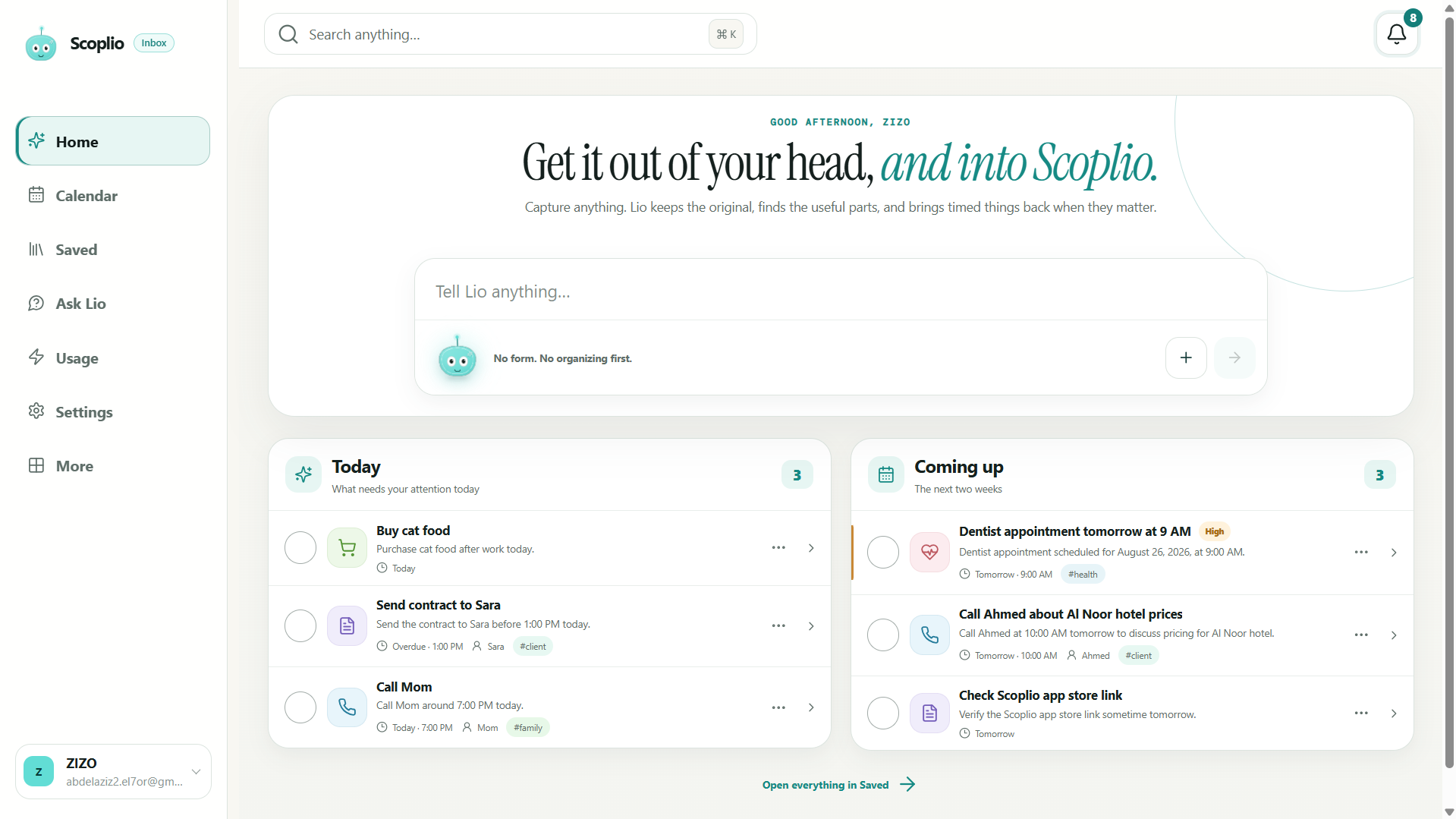
Need it later? Scoplio remembers the rest.

Timed things can come back through reminders and Calendar. Untimed details remain searchable in Saved. You do not have to remember whether you originally treated something as a note, task, bookmark, or message to yourself.

Need it again? Ask Lio.

You do not need the exact title, folder, or app. Ask Lio the way you remember it and keep the supporting saved item close enough to inspect.

Not everything needs to become a task.

An idea can stay a note. A code can stay a reference. A URL can stay a link. A deadline can become a task or reminder. Scoplio keeps different kinds of information useful without forcing the same structure onto all of them.

Messy can stay messy. Your Inbox does not have to.

Dump the paragraph. Save the link. Leave the half-finished thought exactly how it came out. Scoplio keeps the original and can build useful structure without making you clean the wording first.

One account across the places you use Scoplio.

Scoplio Inbox is available on the web, Android, and iPhone. Saved context, reminders, Calendar, and Ask Lio stay in the same account across all three.

Is Scoplio just a reminder app?

No. Tasks, reminders, notes, references, links, events, people, and the original context can live in the same Inbox. Timed things can come back while everything else stays searchable.

How does Lio process my information?

Lio uses carefully selected AI providers through Scoplio’s secure backend to process only the information needed for your request. Your original capture stays available in Scoplio so AI interpretations can be reviewed and corrected.

What if AI is busy or I lose connection?

The original capture is saved first. Lio can retry later instead of making the thought disappear.

EARLY USER REACTION

“Damnn!!! Literally what I thought I would need. Will definitely use it.”

Scoplio user

About Scoplio → · Read the field notes →

Scoplio Inbox capture box with Lio ready for a messy thought